Show clients the value of every WordPress update.
Short, client-friendly summaries for WordPress Core and plugin updates. Show clients what changed, why it matters, and the real value of your maintenance work - and see what's in an update before you apply it.
Full API access from day one. Cancel online any time.
Example summaries
Site Kit by Google 1.183.0 → 1.184.0
30,000+
Plugins with summaries
Updated in the last 2 years
325,000+
Update summaries ready
Across the 6 latest versions
6 languages
Summaries in your client's language
English, Spanish, French, German, Italian, Dutch
Version numbers alone don't show clients the real value of your work.
They only show that something changed - not what changed, or why it mattered.
Without Update Brief
Ninja Forms 3.14.12 → 3.15.2
With Update Brief
Ninja Forms 3.14.12 → 3.15.2
This update introduces an AI Form Builder that generates forms from natural language prompts. It also includes several bug fixes, such as resolving issues with typed signatures, form rendering, and field validation. Security enhancements have been implemented to strengthen input validation, enforce a two-tier permission model, neutralize shortcode brackets in merge tags, and validate repeater field entries.
Ready-made update summaries for the reports you already send.
Update Brief turns every plugin and core update into a short explanation your client can actually understand.
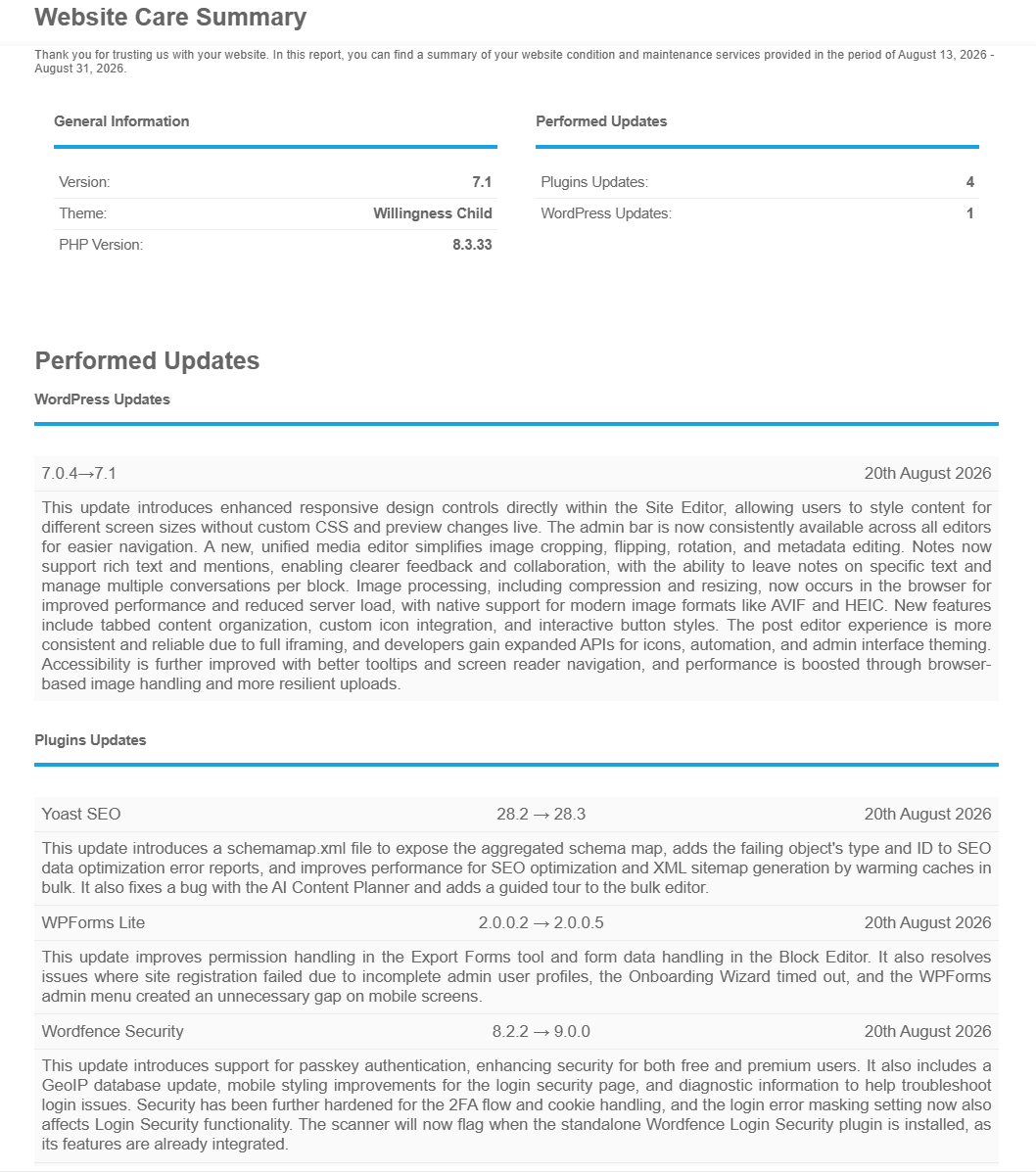
- Add summaries into client reports automatically
- Use the MainWP plugin or make a simple API call
- Summaries ready within the hour for most new releases
- Written in client-friendly language, ready to send without rewriting
- Send summaries in your client's language
Turn a list of updates into evidence of the work you're doing.
Check the updates that matter.
Automatic updates can work well for trusted plugins and minor version changes.
But some updates deserve a look first: an ecommerce plugin, a form plugin - anything load-bearing on a client site that can't afford a bad morning.
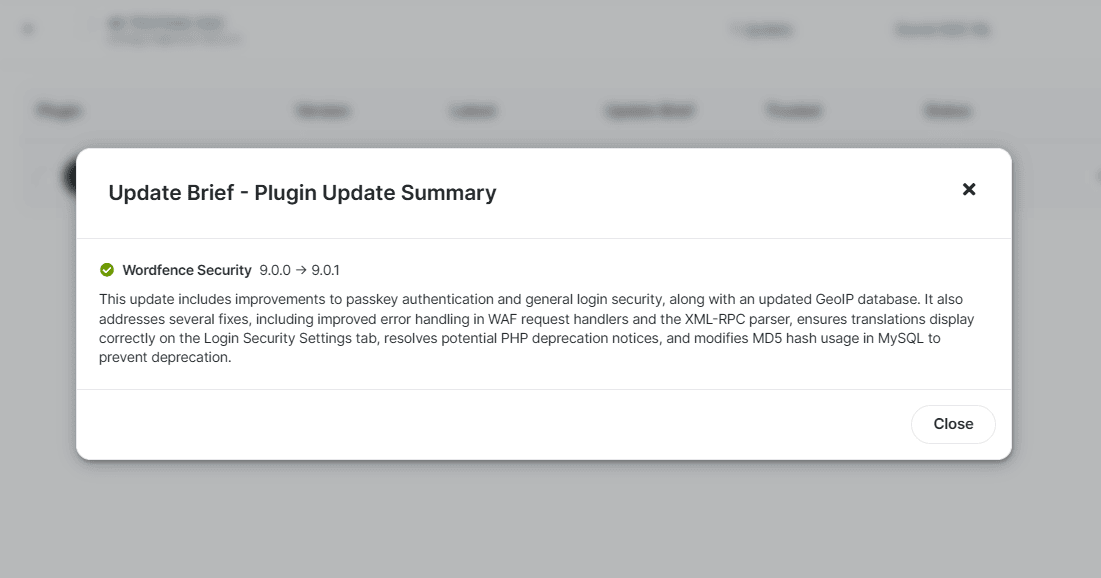
A version number tells you how big a release is, not what's in it. A major jump can be uneventful; a point release can quietly change behaviour. A quick summary check tells you which, before it hits a client site. When something looks risky, that's the one you stage.
Automate the rest. Check the ones that really matter.
Make your maintenance plan something clients don't want to lose.
When clients see the security fixes and improvements you're delivering every month, the value of a maintenance plan stops being a question.
Full API access from day one. Cancel online any time.
Every update covered.
Plugin updates
Update summaries for over 30,000 WordPress plugins updated in the last two years, including premium plugins like Gravity Forms, Elementor Pro and WP Rocket. If a plugin publishes a changelog, it gets a summary.
WordPress updates
Update summaries for every major and minor WordPress core version, in the same format as the plugin summaries covering new features, security fixes and bug fixes.
Multiple versions
Client several versions behind? Update straight to the latest version and you get a single summary for the whole update. Summaries go back through the six most recent versions.
Simple integration.
MainWP plugin
Add Update Brief summaries automatically to your MainWP Pro Reports using ready-made templates. On the MainWP Updates screen, click Summary next to any pending update to see what's changing before you apply it.
Install it on your MainWP Dashboard site only - nothing extra goes on client sites beyond the MainWP Child plugins you already run.
Listed in the MainWP add-ons directory.
REST API
Build Update Brief into any WordPress management system and workflow. One authenticated API call returns the summary you need, so it works with anything that can make an HTTP request - your own dashboard, or whatever reporting tool you already use.
Fully documented with response formats and status codes.
Getting started
Start your free trial
Generate your API key
Add the MainWP plugin, or use the API directly
Summaries available for your updates and reports
Pricing.
Start your 14-day free trial
Every plan includes WordPress core, plugin, and premium plugin summaries, in six languages.
What it costs after your trial
How many different plugins do you typically need summaries for each month?
Plans are billed on the number of different plugins you request summaries for in a month, counted once each.
Update WooCommerce on 20 client sites, twice in a month - it counts as just 1 plugin.
The site ranges on each plan are guidance for what typically fits.
Agency Plan · per month
$29
USD / month
300
different plugin summaries
6,000
API calls
Full API access from day one. Cancel online any time.
Need a larger custom plan built around your numbers? Contact us.
Questions?
We have a full list of Frequently Asked Questions and their answers.
And full MainWP Documentation and API Documentation is available.
